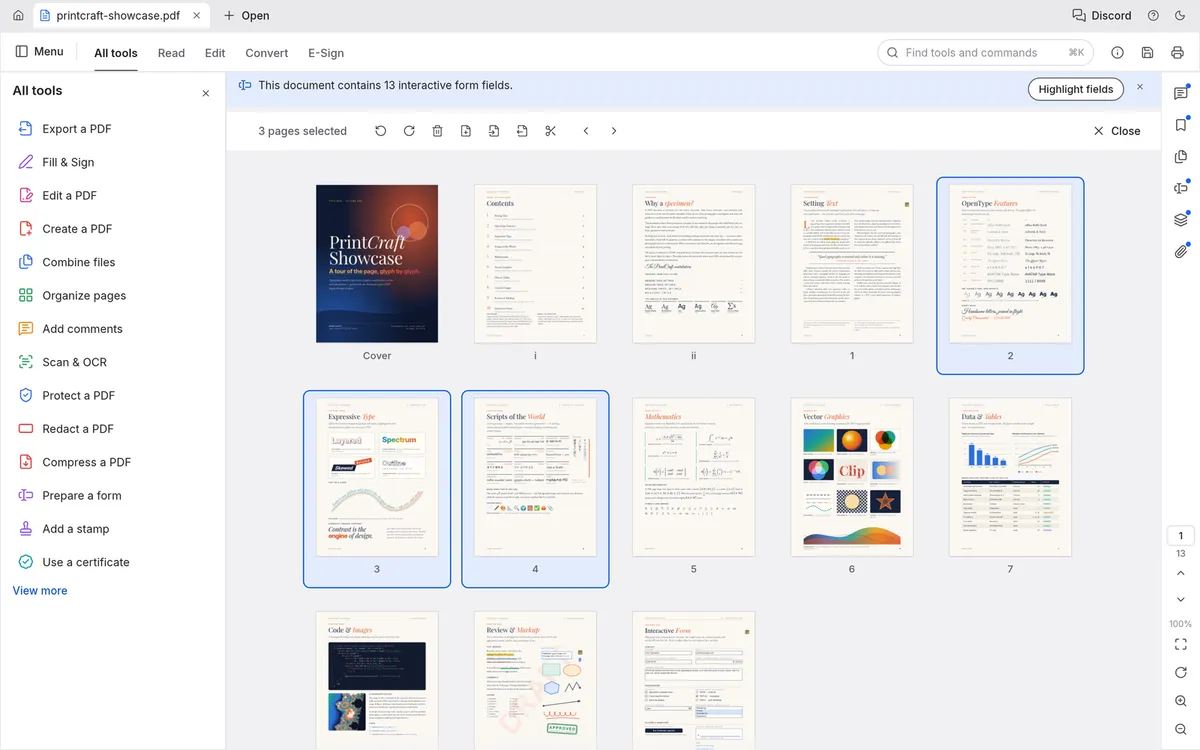
PdfCraft is a free, open-source PDF workbench that recreates the Adobe Acrobat workflow. It is built from the ground up in Rust by the ArtCraft team, the makers of VectorCraft and PhotoCraft, and runs on Windows, macOS, Linux, FreeBSD and in the browser. You can use PdfCraft online right now — your files stay on your device.
What PdfCraft does well today
- Reading. Careful rendering of kerning and ligatures, right-to-left and complex scripts, vertical Japanese, colour emoji and transparency, with continuous, two-up and distraction-free Read modes in light and dark themes.
- Finding. Search as you type and copy text in the right reading order.
- Organizing pages. See every page at once; rotate, delete, insert and move them, with undo that still works after saving.
- Combining and splitting. Merge any number of PDFs or split one every n pages, keeping links, bookmarks and form fields working.
- Comments and forms. Notes, highlights, shapes, ink and threaded replies; filling and authoring interactive forms.
- Security. Passwords, redaction, sanitizing and basic digital signatures.
Saves are designed to be trustworthy: changes are appended so the original bytes stay intact, files are written atomically, and the result is checked independently with qpdf.
What is still missing
PdfCraft's authors describe it as alpha and list the thin or missing parts plainly: reliable editing of existing text (especially CJK and right-to-left), OCR beyond Latin script, Office import and export, advanced signature workflows, Preflight and PDF/X/UA checks, printing from the web build, and full XFA forms.
PdfCraft vs Acrobat and online PDF tools
Adobe Acrobat Pro is far more complete and is the safe choice for heavy editing, OCR and Office conversion — but it is a subscription with an Adobe account. Online PDF tools are convenient but typically upload your file to their servers. PdfCraft gives you the convenience of a website with the privacy of a desktop app: it runs entirely in your browser, for free.
How to try it
Open PdfCraft Online, drop in a PDF and pick a tool. Prefer a native app? The same page links signed builds for every platform.
Questions people ask
Is PdfCraft safe for confidential PDFs?
It is designed for it: no account, no telemetry and no cloud. In the browser version on this site your file is processed locally and never uploaded.
Can PdfCraft redact and password-protect PDFs?
Yes. Passwords, redaction and sanitizing are among the features its authors list as good today.
Does PdfCraft do OCR?
Only partly: OCR beyond Latin script is still on the list of missing features.
Try PdfCraft right now
The full editor runs in your browser. No install, no account.