
LightCraft Online – Free Photo Editor & Lightroom Alternative
Preparing LightCraft…
First visit downloads the editor once (≈23 MB). After that it opens instantly from your browser cache. Nothing you draw is uploaded.
Preparing LightCraft…
First visit downloads the editor once (≈23 MB). After that it opens instantly from your browser cache. Nothing you draw is uploaded.
Free · Open source · In your browser
The open-source Lightroom alternative, running right here. Non-destructive raw development, colour grading, masking, presets and a photo library — on your own machine.
About the app
LightCraft is a free, open-source photo library and raw developer that recreates the Adobe Lightroom workflow. Every adjustment is non-destructive and renders through a scene-referred, wide-gamut, 32-bit float pipeline. It is written in Rust by the ArtCraft team and runs on Windows, macOS, Linux and in the browser.
It is alpha software. Its authors put it at about 81% of Lightroom’s features, and nearer 49% of the way to replacing it for a typical working photographer. It is great for JPEG, DNG and most Sony, Panasonic, Fujifilm, Nikon and older Canon raw files.
LightCraft is one of the Crafting Apps, alongside VectorCraft, the free Illustrator alternative.
LightCraft features
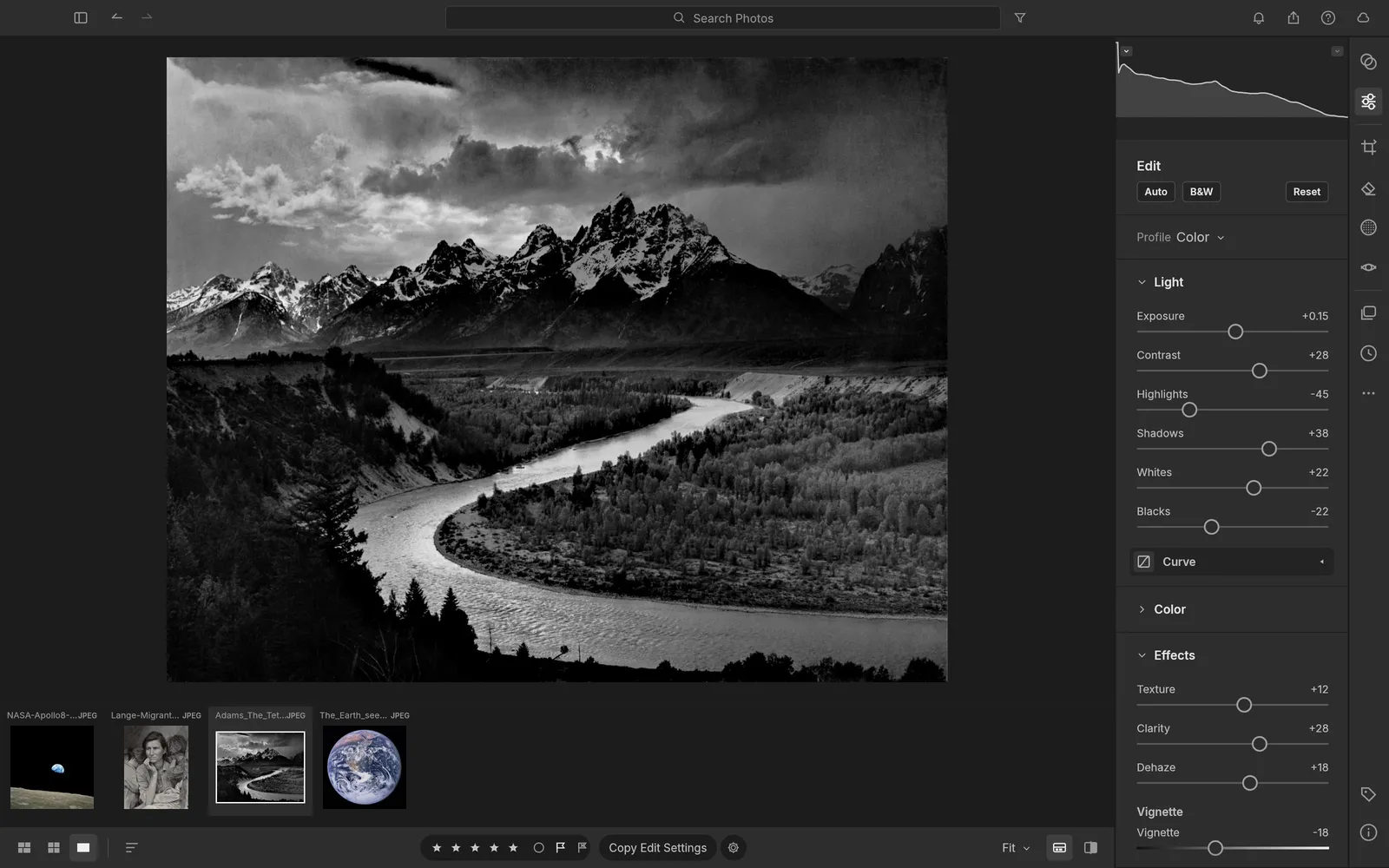
Exposure, contrast, highlights, shadows, whites and blacks with edge-aware tone mapping that avoids halos.
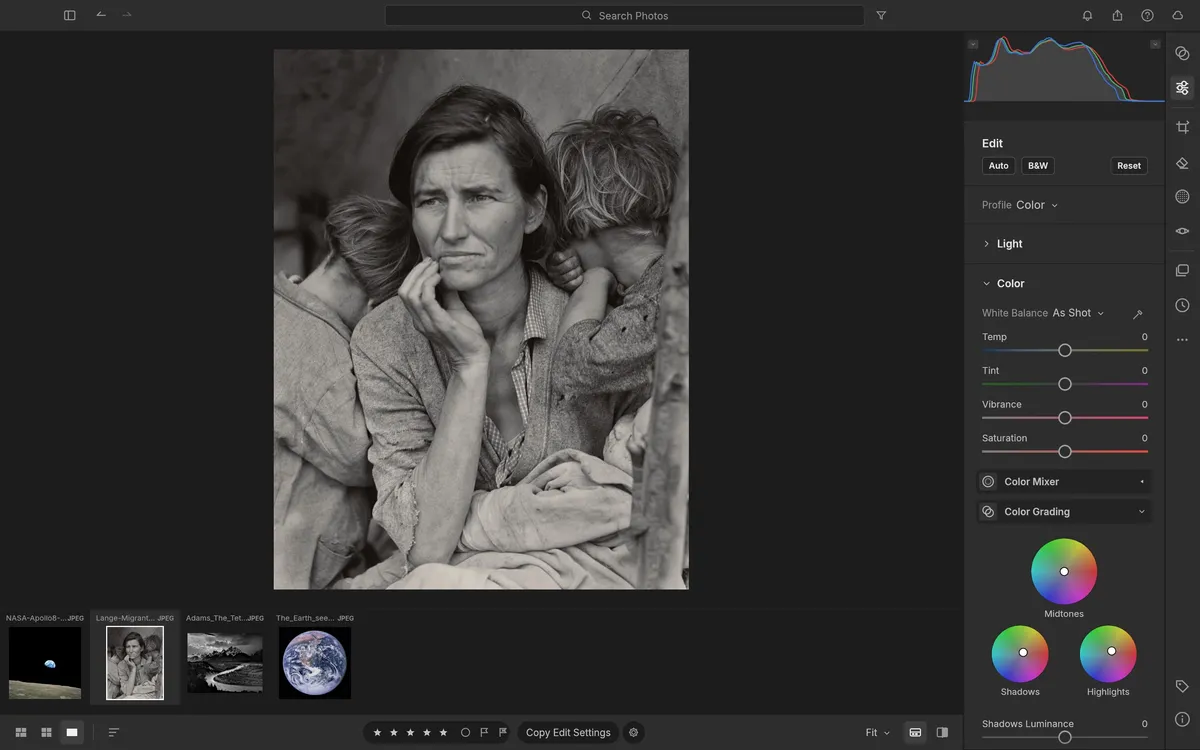
Shadow, midtone and highlight wheels, an 8-band colour mixer and vibrance that protects skin tones.
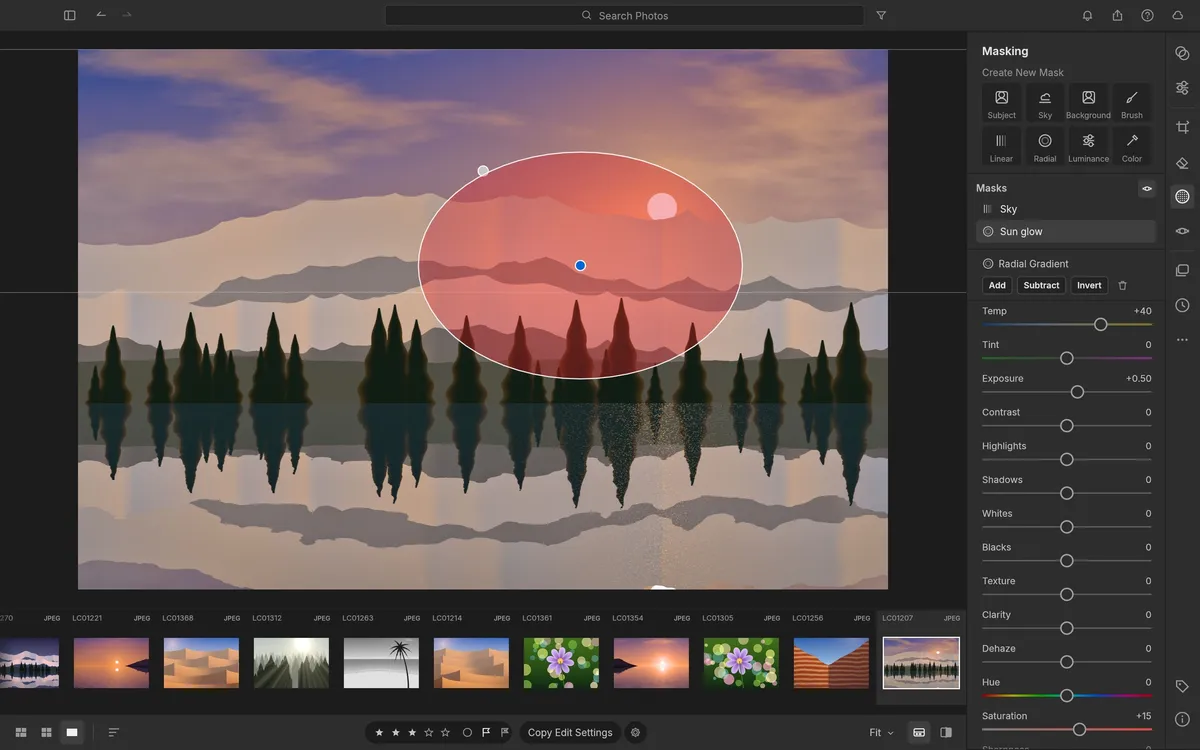
Brush, linear and radial gradients, and luminance, colour, sky, subject and background selections.
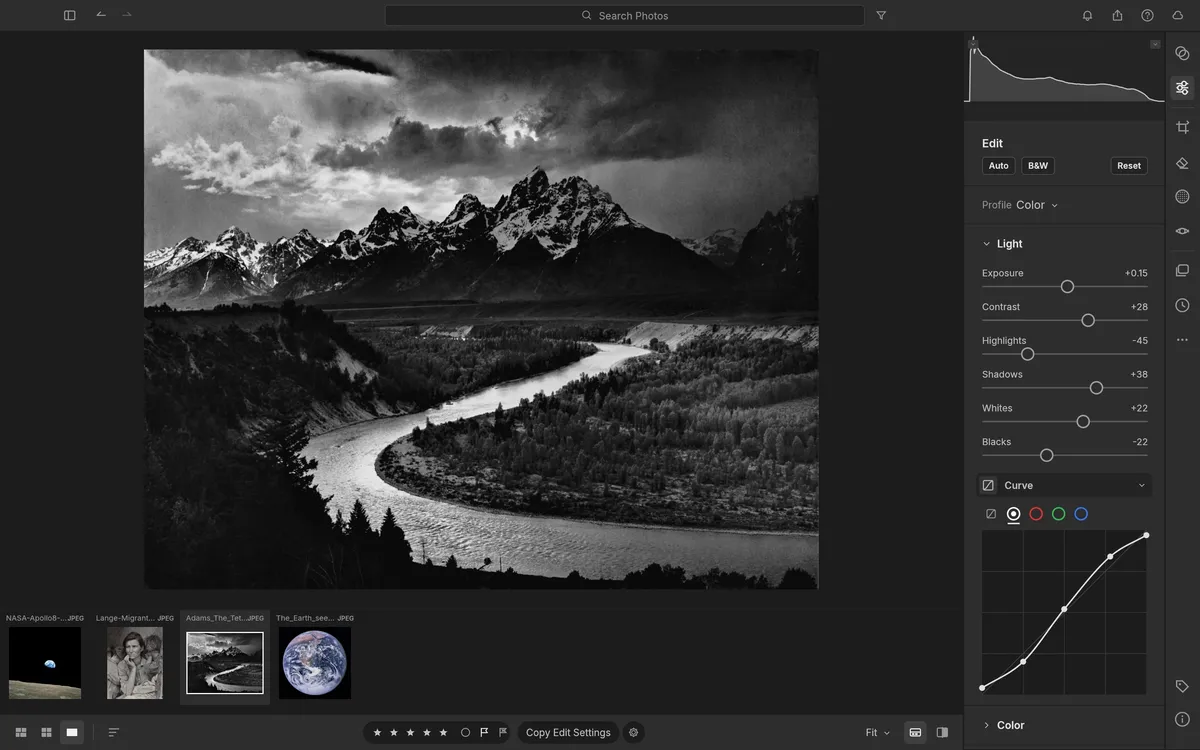
A parametric region curve plus RGB and per-channel point curves that can never invert tones.
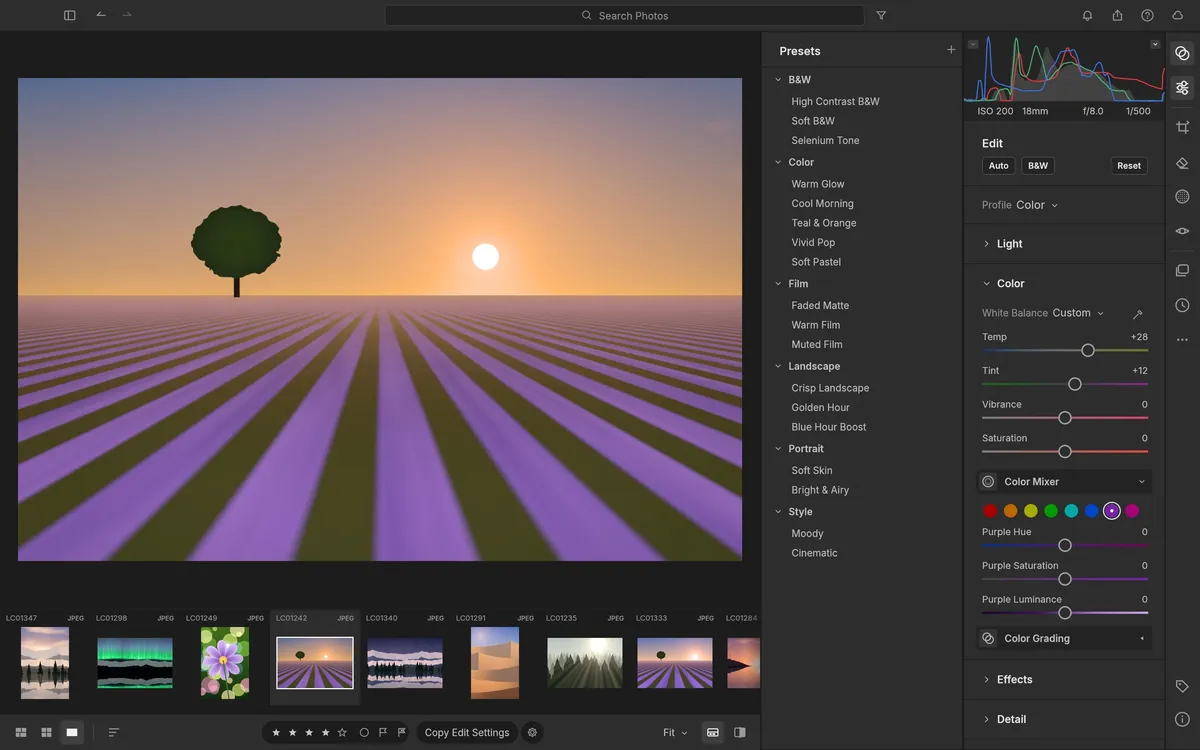
Apply looks in one click from the Presets column and build your own from any edit.
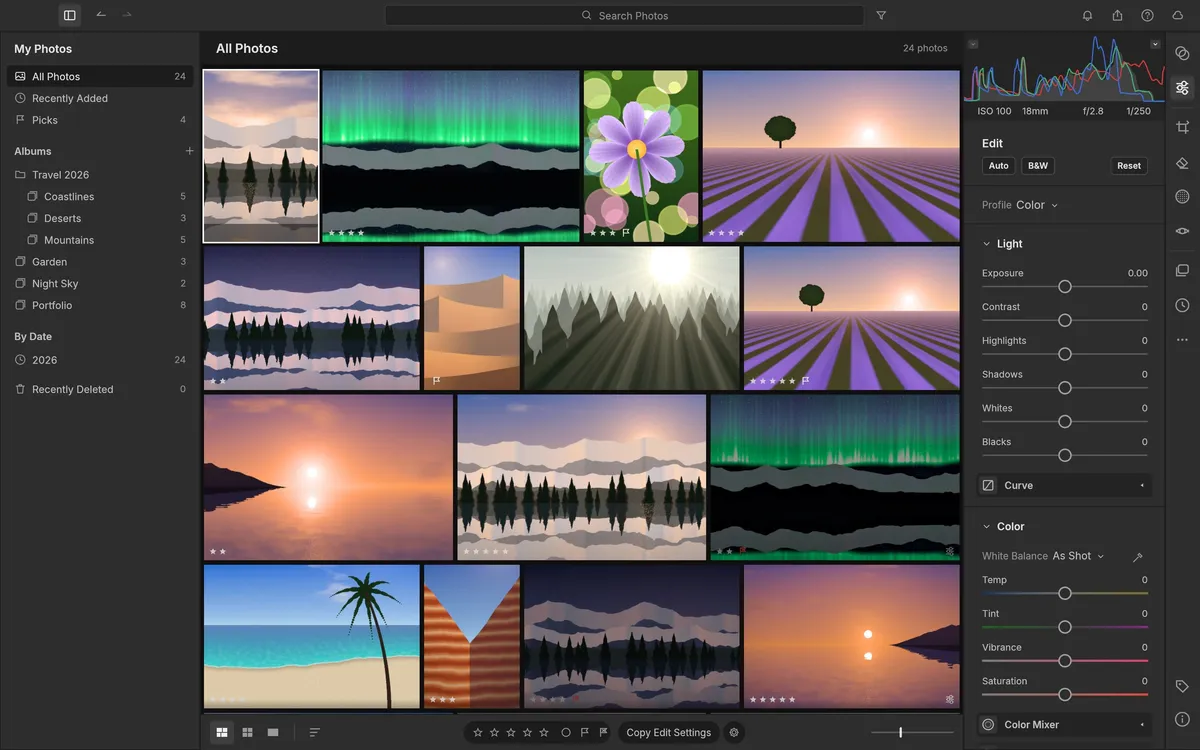
All Photos, Picks, By Date and nested albums, with ratings, flags and fast grid views.
Screenshots: LightCraft contributors, MIT OR Apache-2.0. Photographs shown are public domain (U.S. National Archives, Library of Congress) or generated demo images.
Get started
The first visit downloads LightCraft and its fonts (about 23 MB). It opens with a demo library so you can try it immediately.
Add JPEG, DNG or raw files to the library. They are read by your browser, not uploaded.
Use Light, Color, Effects, curves and masks, then export the finished photo to your computer.
Compare
| Feature | LightCraft Online | Adobe Lightroom | darktable |
|---|---|---|---|
| Price | Free | Subscription | Free |
| Runs in the browser | With subscription | ||
| No account needed | |||
| Open source | |||
| Lightroom-style sliders & layout | |||
| Non-destructive editing | |||
| Raw camera support | Many cameras | Extensive | Extensive |
| Maturity | Alpha | Industry standard | Mature |
Check LightCraft’s raw support list for your camera before relying on it.
Desktop app · version 0.8.0 · released 2026-10-14
Prefer a native app? Every link goes straight to the official GitHub release by ArtCraft team.
How to install
How to install
How to install
How to install
Verify your download
Compare the file’s SHA-256 hash with SHA256SUMS.txt from the release. On macOS or Linux run shasum -a 256 <file>; on Windows run certutil -hashfile <file> SHA256. Older versions and release notes are on the GitHub releases page .
Yes. LightCraft is free, open-source software (MIT or Apache-2.0), and this page lets you use its web version without paying, installing anything or creating an account.
It handles JPEG, DNG and most Sony, Panasonic, Fujifilm, Nikon and older Canon raw files well. Support varies by camera model, so test a few of your own files.
No. LightCraft runs in your browser with WebAssembly; photos you import are processed on your device and exports download to your computer.
For casual use it is getting close; for professional work not yet. Its authors estimate about 49% readiness for a typical working photographer and about 64% for casual use.
No. LightCraft is made by the ArtCraft team (getartcraft.com). This is an independent page that hosts the unmodified official web build.
Yes. Signed builds for Windows, macOS, Linux and FreeBSD are linked in the download section below, straight from the official GitHub release.
LightCraft, the free Lightroom alternative, is one of the ArtCraft team’s open-source Crafting Apps. See all apps