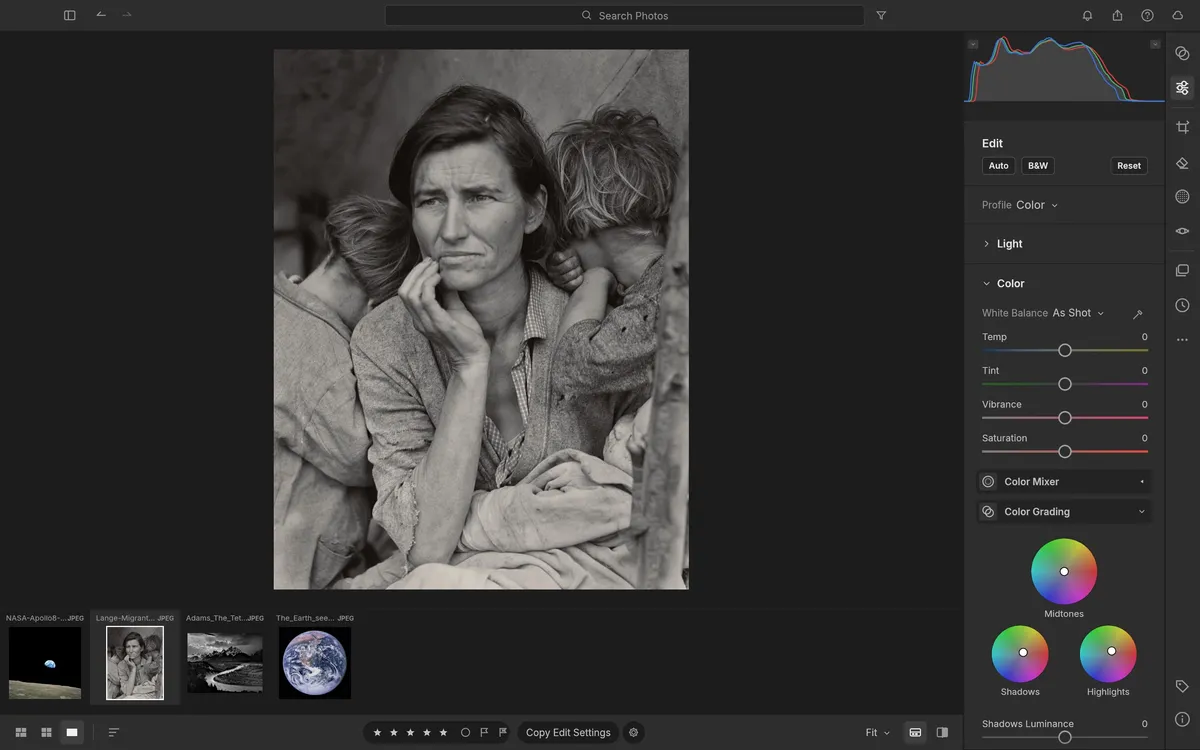
LightCraft is a free, open-source photo library and raw developer that recreates the Adobe Lightroom workflow. It is built in Rust by the ArtCraft team and runs on Windows, macOS, Linux, FreeBSD and in the browser — you can use LightCraft online with its demo library or your own photos.
The darkroom
- Light: exposure, contrast, highlights, shadows, whites and blacks with edge-aware local tone mapping, so pulled highlights recover a sky without grey halos.
- Colour: white balance with an eyedropper, vibrance that protects skin tones, an 8-band colour mixer and three-way colour grading wheels.
- Effects: texture, clarity, dehaze, post-crop vignette and film grain.
- Tone curve: a parametric region curve plus RGB and per-channel point curves that can never accidentally invert tones.
- Masking: brush, linear and radial gradients, and selections by luminance, colour, sky, subject and background.
- Before and after: compare side by side or in a split view.
Every slider renders through a scene-referred, wide-gamut, 32-bit float pipeline, and every edit is non-destructive.
The library
All Photos, Recently Added, Picks, By Date and nested albums, with ratings, flags and fast photo grids.
Where it stands
LightCraft's authors put it at about 81% of Lightroom's features (98% of the core ones). As a day-to-day replacement they estimate around 64% for casual use and 49% for a typical working photographer. Raw support is strong for many Sony, Panasonic, Fujifilm, Nikon and older Canon cameras — check yours before switching.
LightCraft vs Lightroom and darktable
Lightroom is mature with the widest camera support and cloud sync, but it is a subscription. darktable is mature and open source but has its own, very different interface. LightCraft is open source and Lightroom-shaped, and it runs in a browser.
Try it
Open LightCraft Online: the first visit downloads about 23 MB, then it starts with a demo library you can edit straight away.
Questions people ask
Does LightCraft change my original photos?
No. Every adjustment is non-destructive, so your original files are never modified.
Which raw files does LightCraft support?
JPEG and DNG, and most Sony, Panasonic, Fujifilm, Nikon and older Canon raw files. The project keeps a per-camera support list.
Can LightCraft mask the sky or subject automatically?
Yes. Besides brush and gradient masks it can select by luminance range, colour range, sky, subject and background.
Try LightCraft right now
The full editor runs in your browser. No install, no account.