
WordCraft Online – Free Word Processor & Microsoft Word Alternative
Preparing WordCraft…
First visit downloads the editor once (≈13 MB). After that it opens instantly from your browser cache. Nothing you draw is uploaded.
Preparing WordCraft…
First visit downloads the editor once (≈13 MB). After that it opens instantly from your browser cache. Nothing you draw is uploaded.
Free · Open source · In your browser
The open-source Microsoft Word alternative, running right here. The ribbon, styles, tables, track changes, references and real .docx files — private and offline-capable.
About the app
WordCraft is a free, open-source word processor with the Microsoft Word workflow you already know: the ribbon, styles, tables, track changes, references and mail merge. It reads and writes .docx, is written in Rust by the ArtCraft team, and runs on Windows, macOS, Linux, BSD and in the browser.
It is alpha software. Its authors say it covers 88% of Word’s ribbon features and estimate it is about 63% of the way there for everyday essentials. Charts and SmartArt surviving a round trip, pagination identical to Word’s and native printing are still being worked on.
WordCraft is one of the Crafting Apps, alongside VectorCraft, the free Illustrator alternative.
WordCraft features
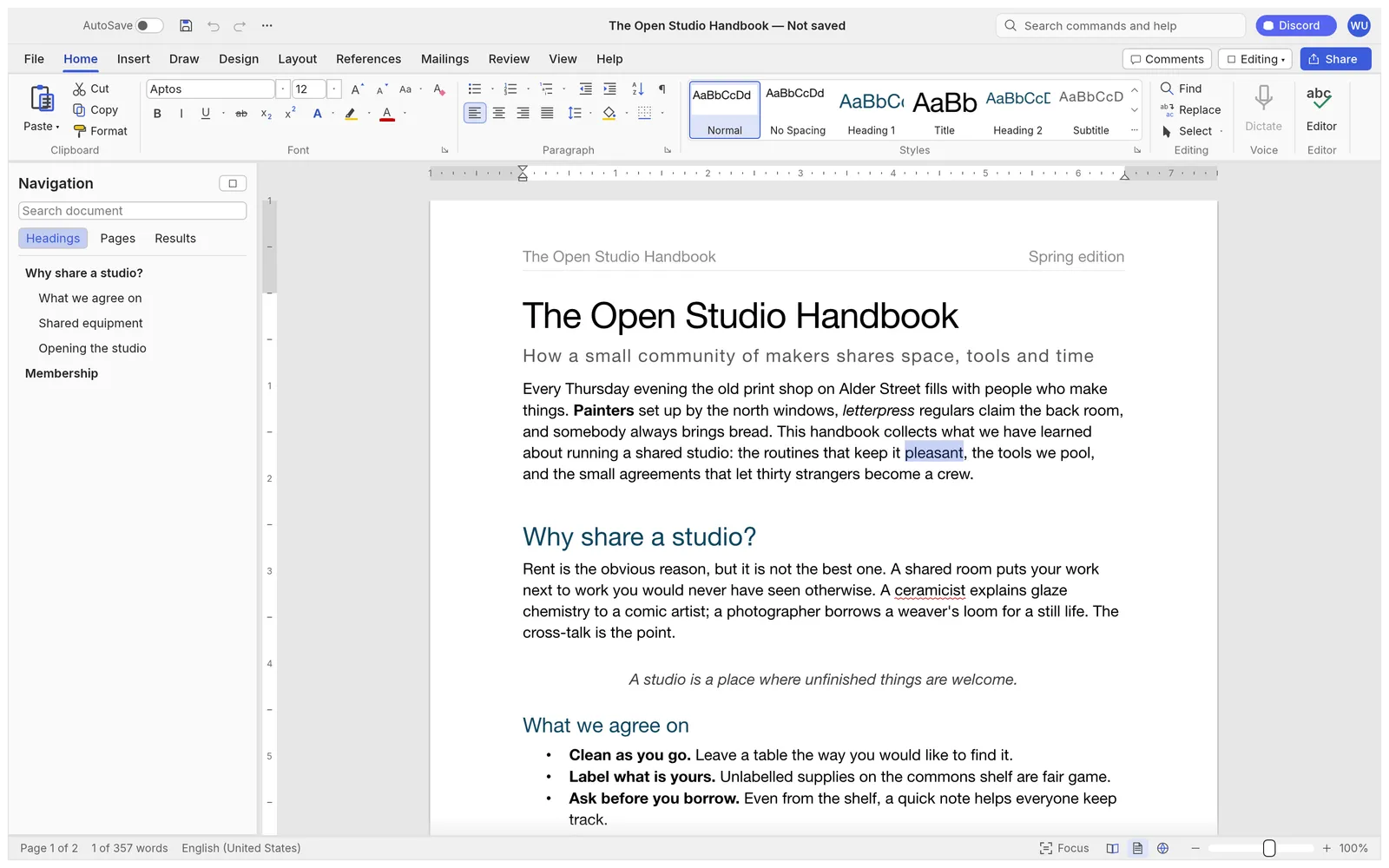
Word’s ribbon tabs, groups and shortcuts, a Styles gallery that previews live, rulers and a Navigation pane.
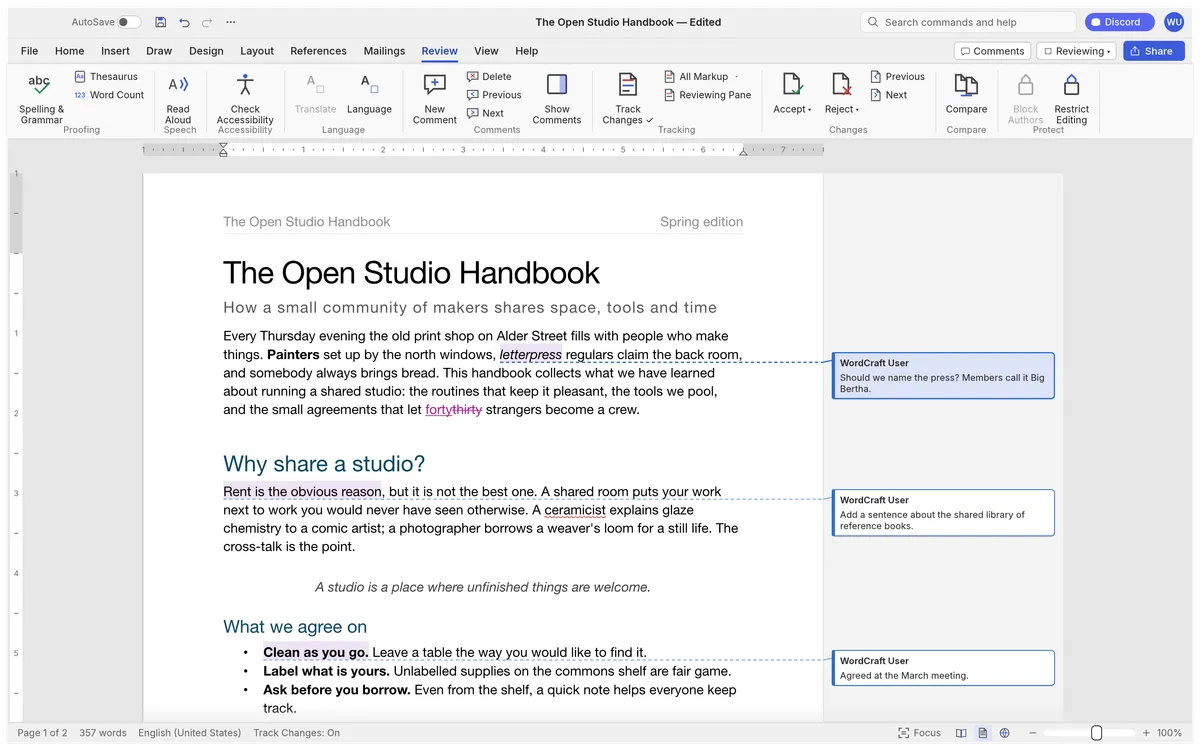
Comment balloons in the margin, accept and reject changes, and spelling and grammar as you type — offline.
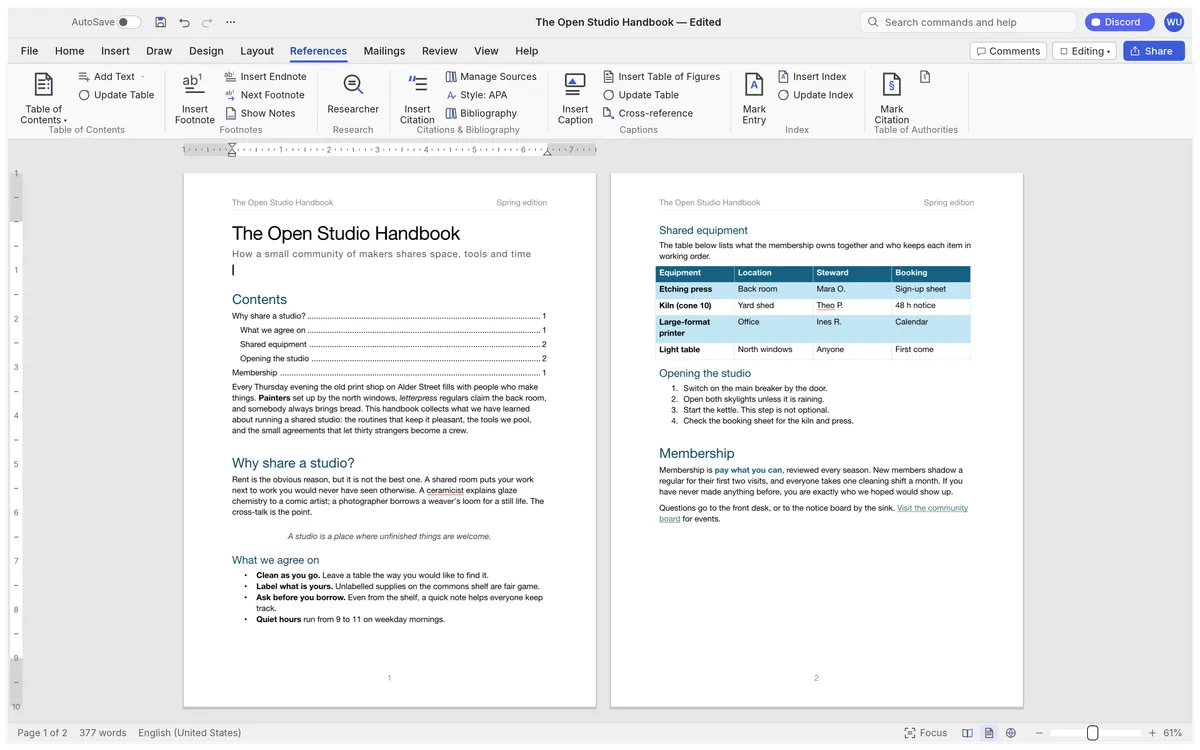
Tables of contents, footnotes, citations in APA, MLA, Chicago or IEEE, an index and captions.
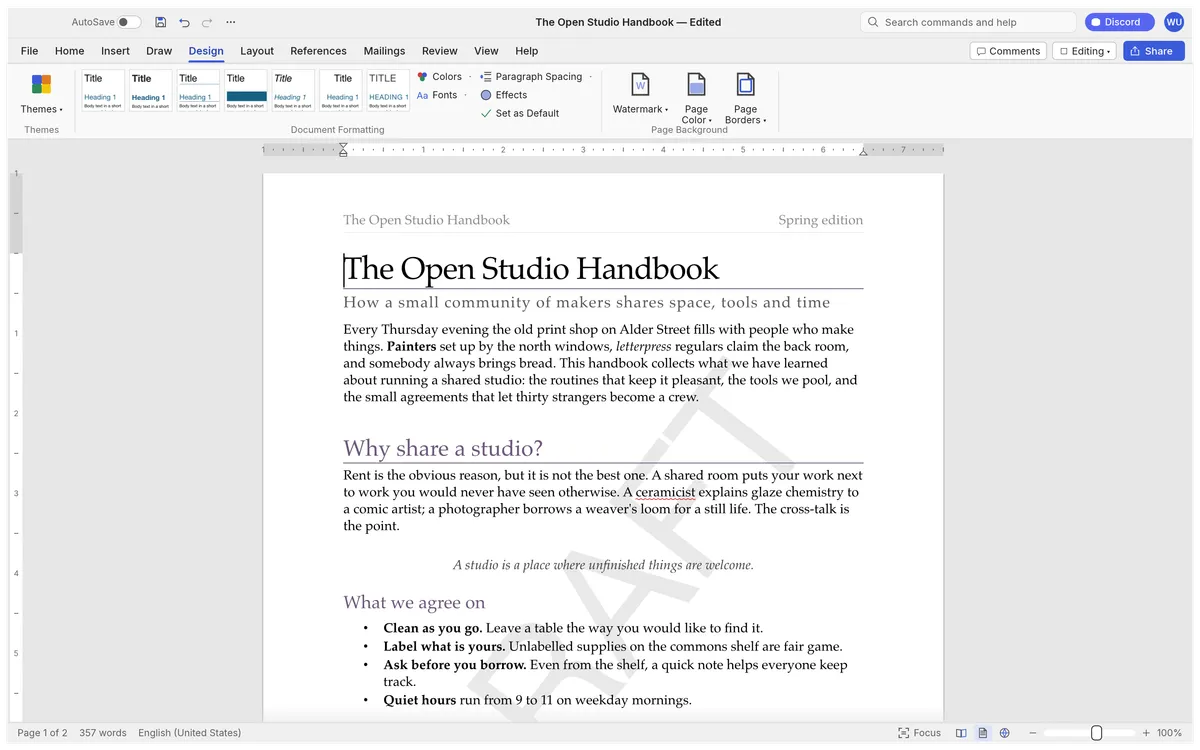
Themes, style sets, paragraph spacing, watermarks, page colour and borders.
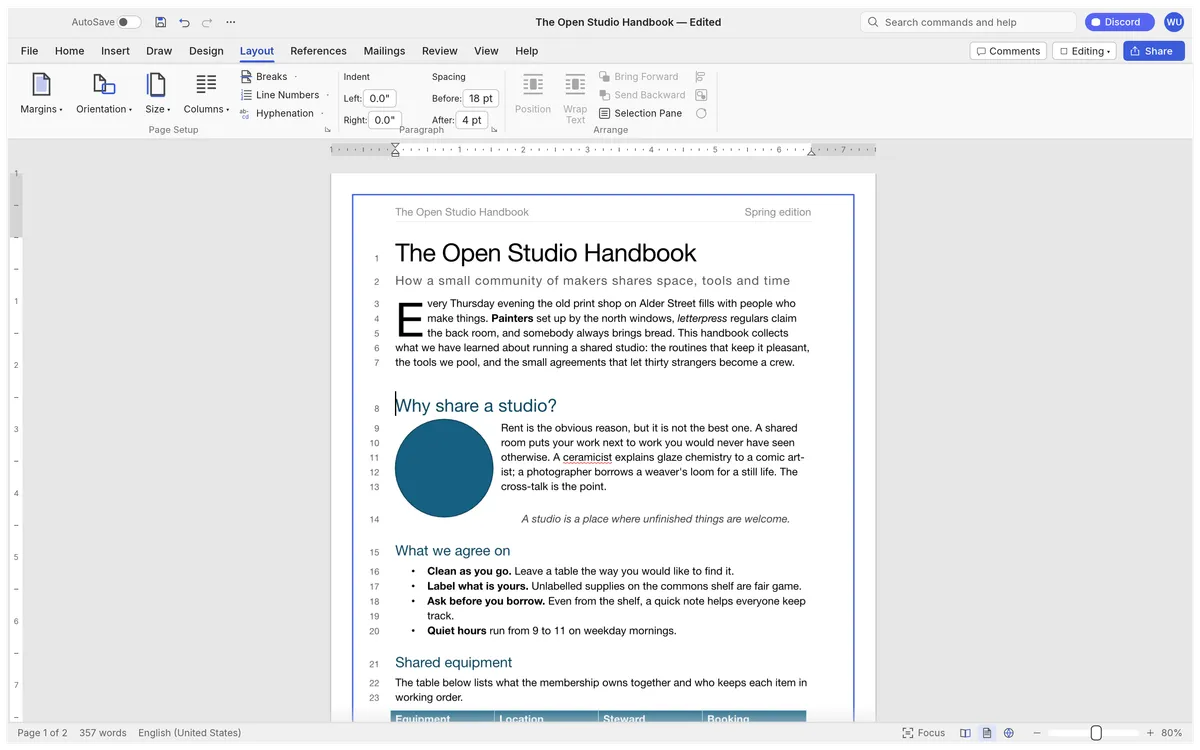
Drop caps, text wrapping around pictures and shapes, automatic hyphenation and line numbers.
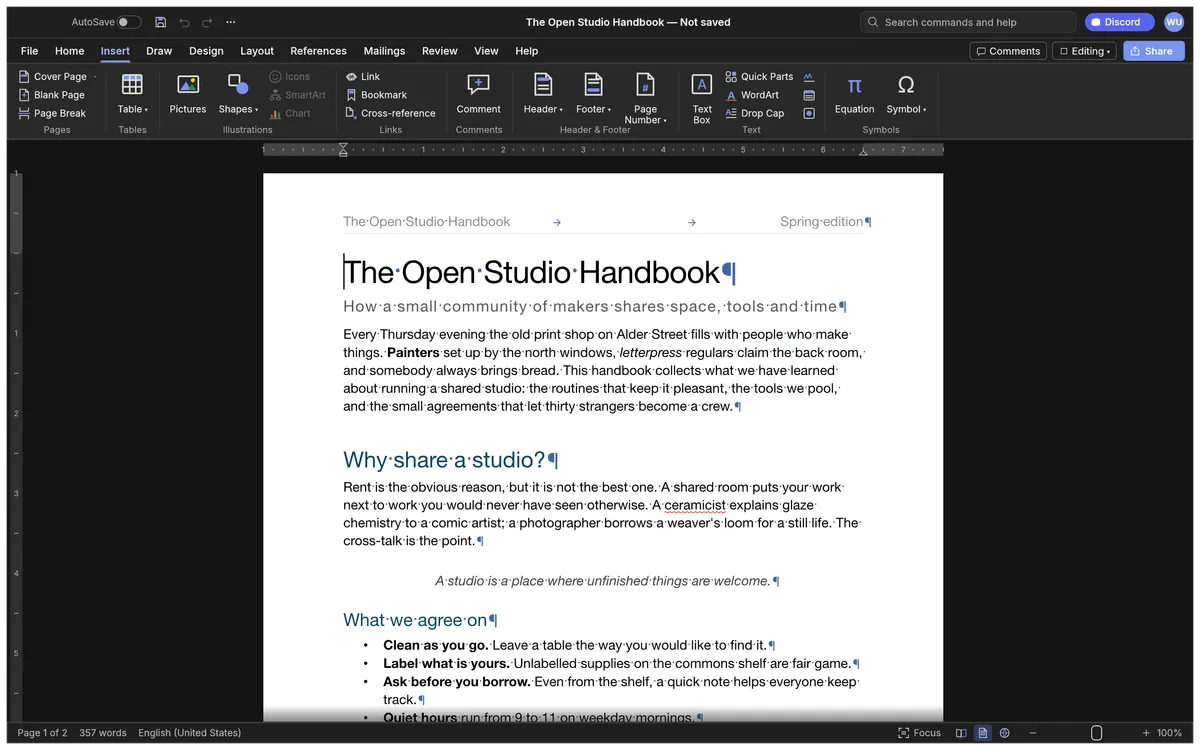
Tables, pictures, shapes, links, headers, footers, fields and symbols, with formatting marks when you need them.
Screenshots: WordCraft contributors, MIT OR Apache-2.0 (sample documents written for WordCraft).
Get started
The first visit downloads WordCraft (about 13 MB). After that your browser keeps it, so it opens in a moment.
Open a .docx, .odt, .rtf or Markdown file, start from a template, or explore the built-in sample handbook.
Use styles, tables, comments and track changes, then save as .docx or export a PDF to your computer.
Compare
| Feature | WordCraft Online | Microsoft Word | Google Docs | LibreOffice Writer |
|---|---|---|---|---|
| Price | Free | Microsoft 365 subscription | Free | Free |
| Runs in the browser | Word for the web | |||
| No account needed | ||||
| Documents stay on your device | Desktop app | |||
| Open source | ||||
| Word-style ribbon | ||||
| Opens and saves .docx | ||||
| Maturity | Alpha | Industry standard | Mature | Mature |
WordCraft also opens .odt, .rtf, .html, Markdown, LaTeX and Word 97-2003 .doc files, and exports PDF with selectable text.
Desktop app · version 0.7.0 · released 2026-10-14
Prefer a native app? Every link goes straight to the official GitHub release by ArtCraft team.
How to install
How to install
How to install
How to install
Verify your download
Compare the file’s SHA-256 hash with SHA256SUMS.txt from the release. On macOS or Linux run shasum -a 256 <file>; on Windows run certutil -hashfile <file> SHA256. Older versions and release notes are on the GitHub releases page .
Yes. WordCraft is free, open-source software (MIT or Apache-2.0), and this page lets you use its web version without paying, installing anything or creating an account.
Yes. It opens and saves .docx, also handles .odt, .rtf, .html, .md, .tex and .txt, opens Word 97-2003 .doc files, and exports PDF with real, selectable text, links and bookmarks.
No. WordCraft runs in your browser with WebAssembly; documents are read locally and saving downloads them to your computer. Spelling and grammar checks also work offline.
Yes: track changes with accept and reject, comment balloons in the margin, and spelling and grammar checking as you type.
For everyday documents it is getting close; its authors estimate about 63% for everyday essentials. Complex real-world .docx files with charts or SmartArt may not round-trip perfectly yet.
No. WordCraft is made by the ArtCraft team (getartcraft.com). This is an independent page that hosts the unmodified official web build.
WordCraft, the free Word alternative, is one of the ArtCraft team’s open-source Crafting Apps. See all apps