
FilmCraft Online – Free Video Editor & Premiere Pro Alternative
Preparing FilmCraft…
First visit downloads the editor once (≈12 MB). After that it opens instantly from your browser cache. Nothing you draw is uploaded.
Preparing FilmCraft…
First visit downloads the editor once (≈12 MB). After that it opens instantly from your browser cache. Nothing you draw is uploaded.
Free · Open source · In your browser
The open-source Premiere Pro alternative, running right here. Timeline editing, every trim, Lumetri-style colour, 93 effects, titles, captions and a full audio mixer.
About the app
FilmCraft is a free, open-source non-linear video editor for people who know Premiere Pro: the same panels, workspaces, tools and shortcuts. Underneath, it is new from the bitstream up — written in Rust by the ArtCraft team, with its own H.264, HEVC, ProRes and AAC codecs and no FFmpeg inside.
It is alpha software. Its authors estimate about 86% of Premiere Pro’s features exist and that it is roughly 56% ready for real projects. Premiere .prproj files cannot be opened yet, there are no plug-ins, and big footage is still slower than in Premiere.
FilmCraft is one of the Crafting Apps, alongside VectorCraft, the free Illustrator alternative.
FilmCraft features
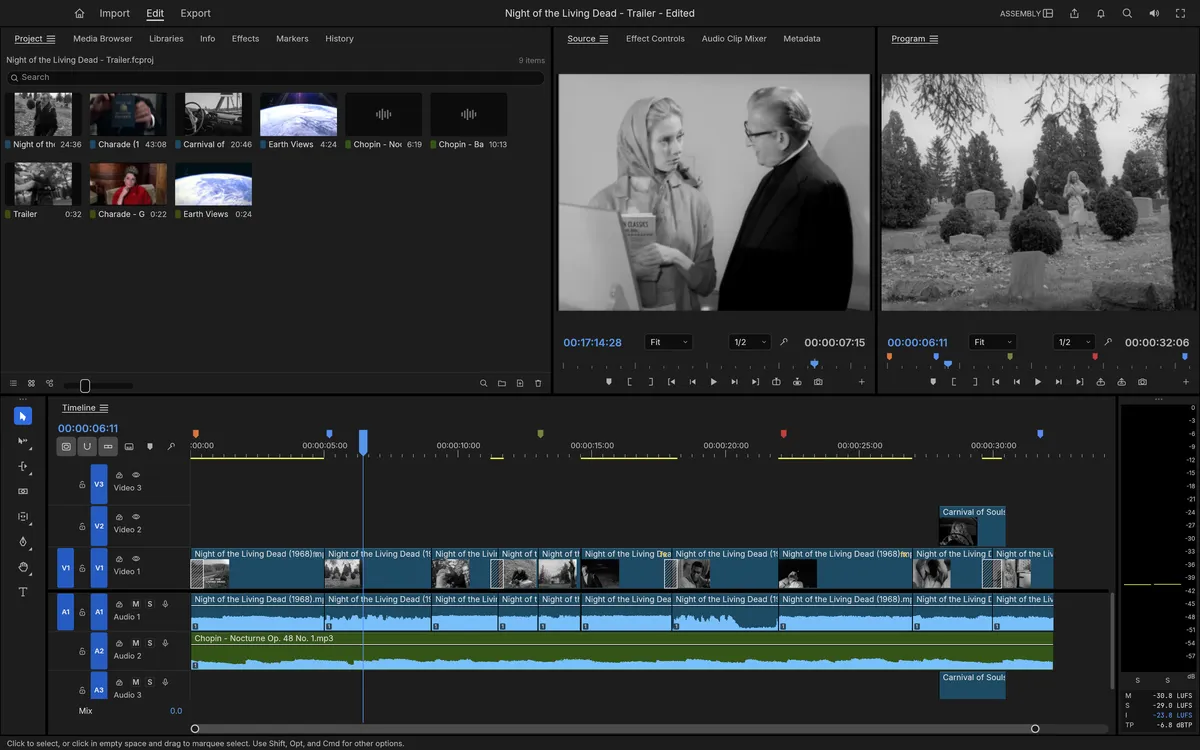
Source and Program monitors, bins, patching and targeting, three-point editing and every trim tool.
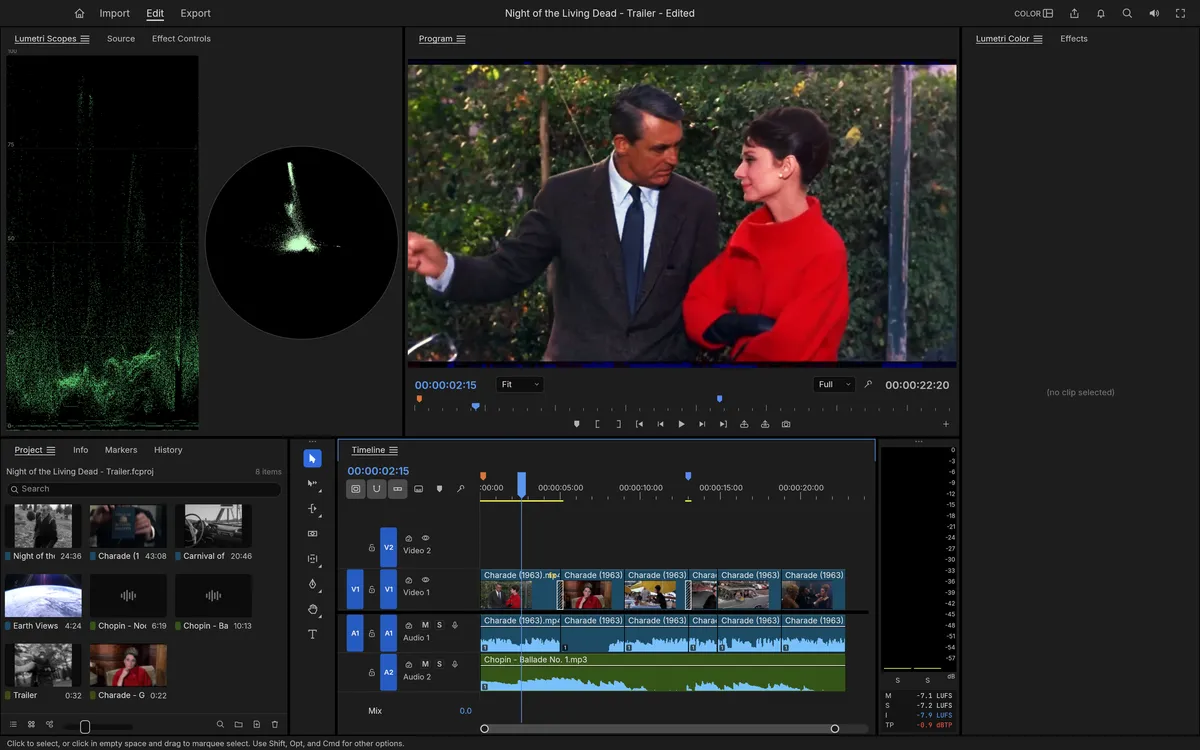
Basic Correction, creative looks, curves, colour wheels and HSL secondaries, graded in 32-bit linear light.
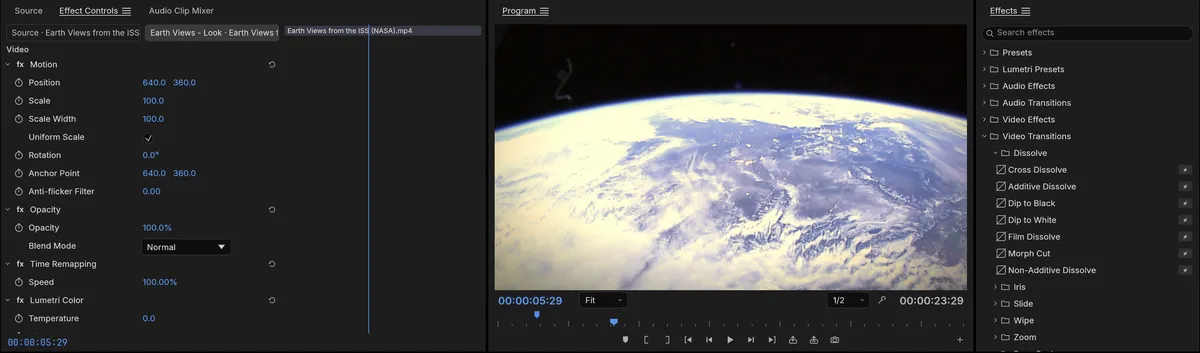
Premiere’s full Video Effects bin — 93 effects in 16 folders — plus around 30 transitions.
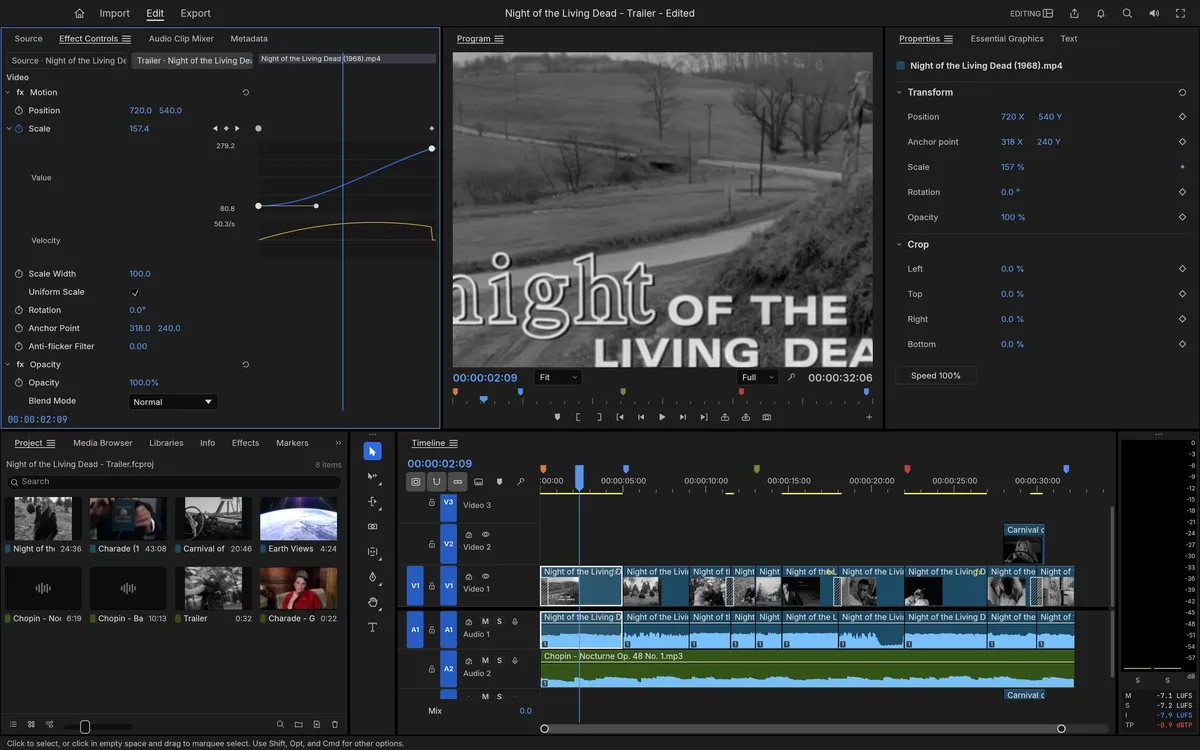
Bezier, hold and eased keyframes with value and velocity graphs for every parameter.
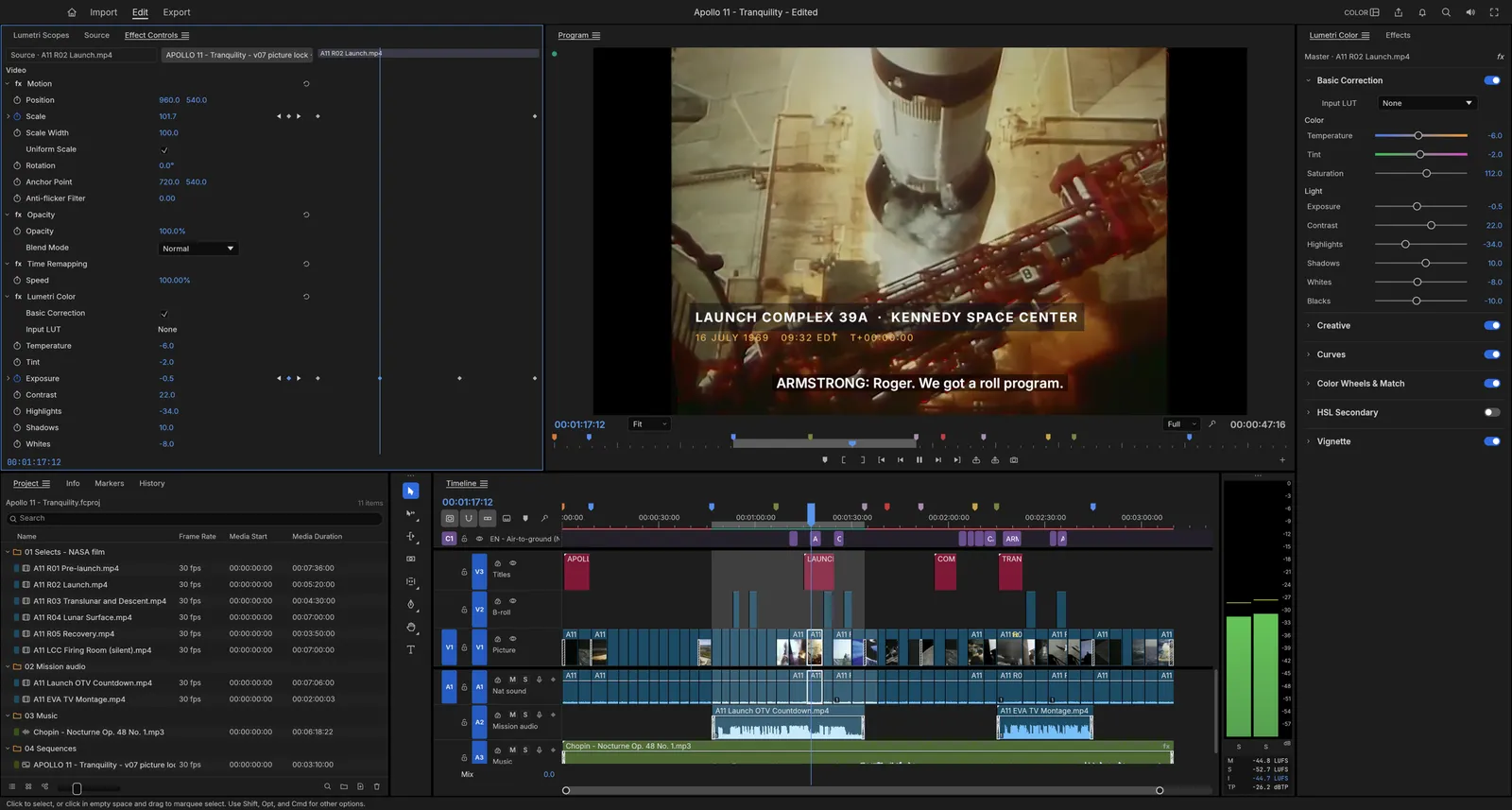
Type and shape tools, SRT and WebVTT captions, broadcast loudness meters and a full track mixer.
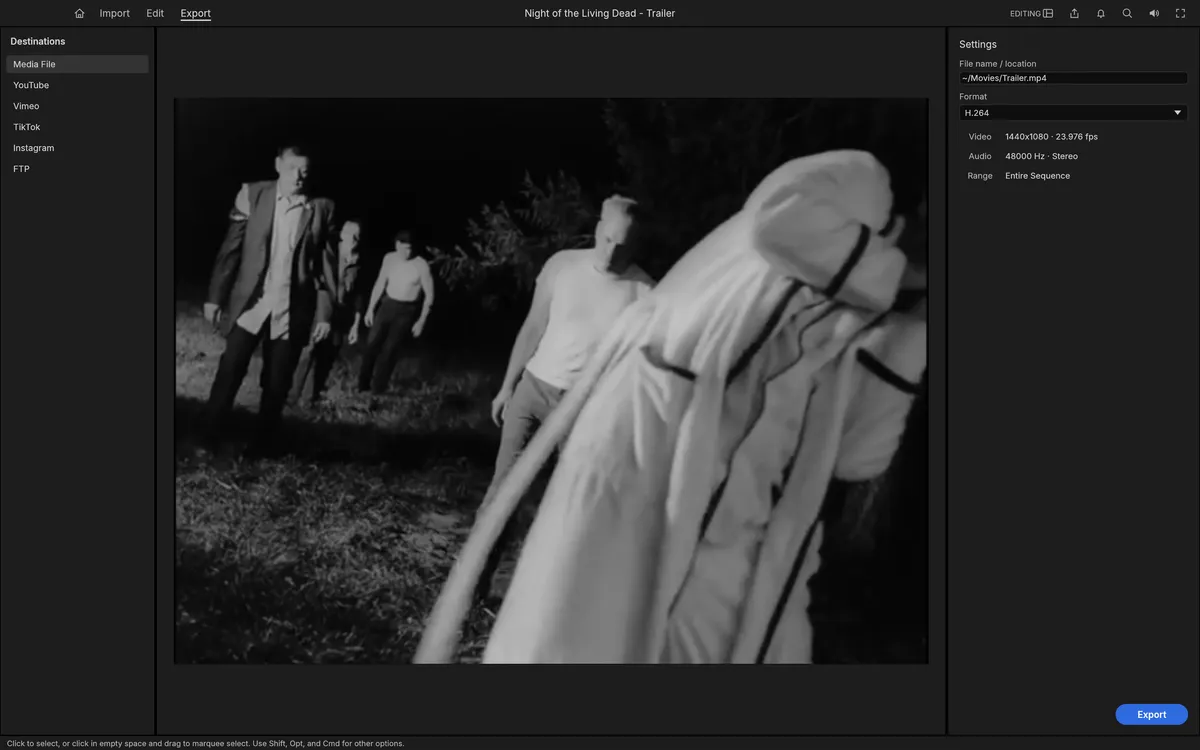
H.264 MP4 with AAC, ProRes 422 HQ, MXF, PNG sequences, GIF and WAV, rendered in the background.
Screenshots: FilmCraft contributors, MIT OR Apache-2.0. Footage shown is public domain (NASA, U.S. Government works).
Get started
The first visit downloads FilmCraft (about 12 MB). It opens with a demo project so you can start cutting straight away.
Use Import or drag clips into the Project panel, then build a sequence on the timeline.
Trim, add effects and titles, grade in the Color workspace, then export your edit. For long or 4K projects, use the desktop app.
Compare
| Feature | FilmCraft Online | Adobe Premiere Pro | DaVinci Resolve |
|---|---|---|---|
| Price | Free | Subscription | Free; Studio is paid |
| Runs in the browser | |||
| Open source | |||
| Premiere-style panels & shortcuts | |||
| Opens Premiere projects | Via XML / AAF / OTIO | Via XML | |
| Plug-ins | |||
| Maturity | Alpha | Industry standard | Mature |
FilmCraft imports sequences from other editors as FCP7 XML, FCPXML, AAF or OpenTimelineIO.
Desktop app · version 0.8.0 · released 2026-10-14
Prefer a native app? Every link goes straight to the official GitHub release by ArtCraft team.
How to install
How to install
How to install
How to install
Verify your download
Compare the file’s SHA-256 hash with SHA256SUMS.txt from the release. On macOS or Linux run shasum -a 256 <file>; on Windows run certutil -hashfile <file> SHA256. Older versions and release notes are on the GitHub releases page .
Yes. FilmCraft is free, open-source software (MIT or Apache-2.0), and this page lets you use its web version without paying, installing anything or creating an account.
Not directly: .prproj files cannot be opened yet. Export the sequence from Premiere as Final Cut Pro 7 XML, AAF or OpenTimelineIO and import that into FilmCraft.
No. Its H.264, HEVC, ProRes, AAC and Opus codecs and the containers are its own Rust code, written from the public specifications and tested frame by frame against FFmpeg as a reference.
No. The editor runs in your browser; footage you import is read locally and exports download to your computer. Large projects run better in the desktop app.
Not yet for most professional work. It is alpha: its authors estimate about 56% readiness for real projects, with speed on big footage, Premiere project import and plug-ins among the biggest gaps.
No. FilmCraft is made by the ArtCraft team (getartcraft.com). This is an independent page that hosts the unmodified official web build.
FilmCraft, the free Premiere Pro alternative, is one of the ArtCraft team’s open-source Crafting Apps. See all apps