
PdfCraft Online – Free PDF Editor & Acrobat Alternative
Preparing PdfCraft…
First visit downloads the editor once (≈12 MB). After that it opens instantly from your browser cache. Nothing you draw is uploaded.
Preparing PdfCraft…
First visit downloads the editor once (≈12 MB). After that it opens instantly from your browser cache. Nothing you draw is uploaded.
Free · Open source · In your browser
The open-source Acrobat alternative, running right here. Read, organize, combine, split, comment on, fill and protect PDFs — and your files never leave your device.
About the app
PdfCraft is a free, open-source PDF workbench that recreates the Adobe Acrobat workflow. It is written from the ground up in Rust by the ArtCraft team and runs on Windows, macOS, Linux, FreeBSD and in the browser — which is how you can use it on this page without uploading a single file.
It is alpha software. Viewing, searching, organizing, combining and splitting, comments, forms, passwords and redaction work today; editing the existing text in a PDF, OCR beyond Latin script and Office conversion are still thin or missing.
PdfCraft is one of the Crafting Apps, alongside VectorCraft, the free Illustrator alternative.
PdfCraft features
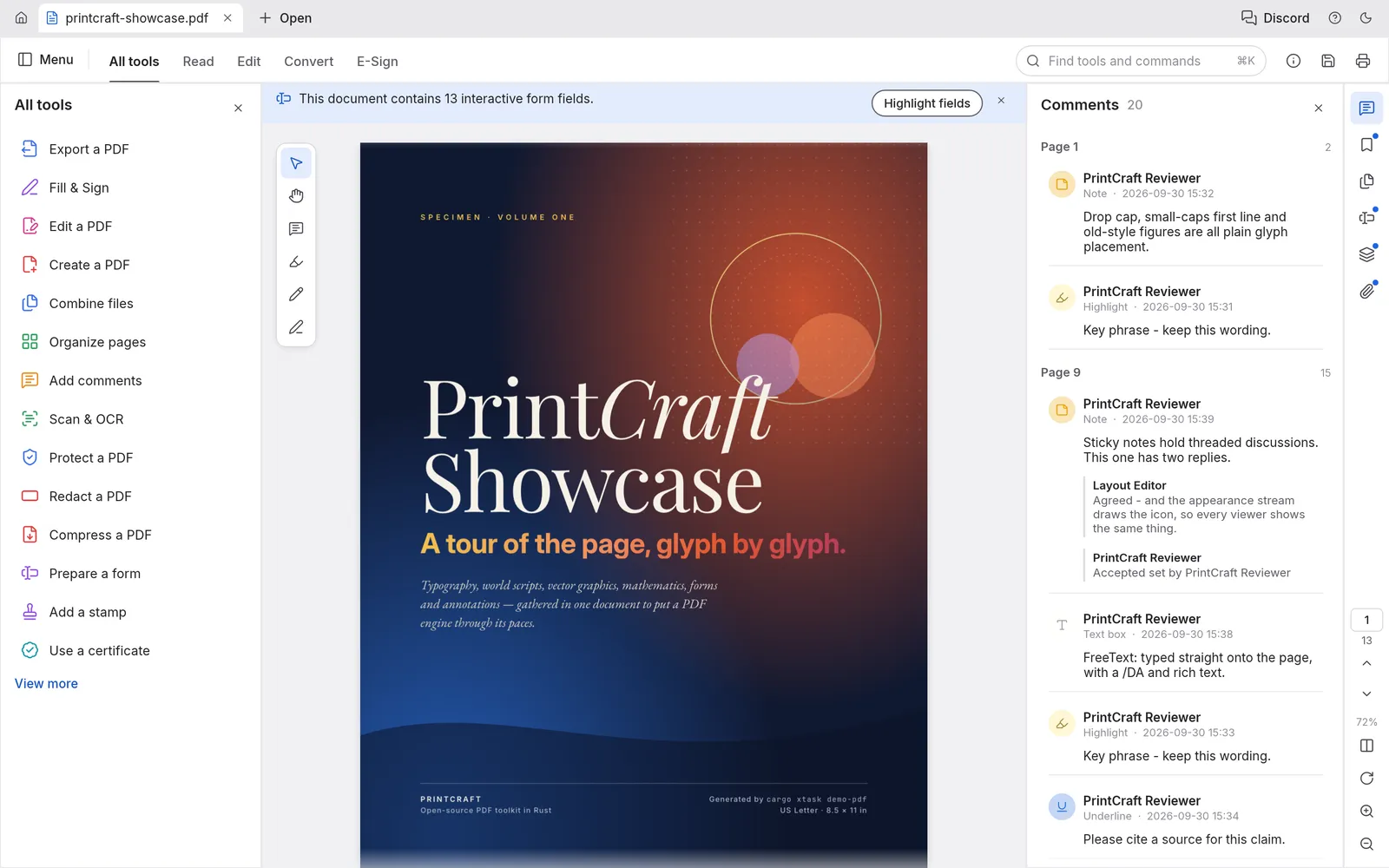
Kerning, right-to-left and complex scripts, vertical Japanese, colour emoji and transparency render as the author intended.
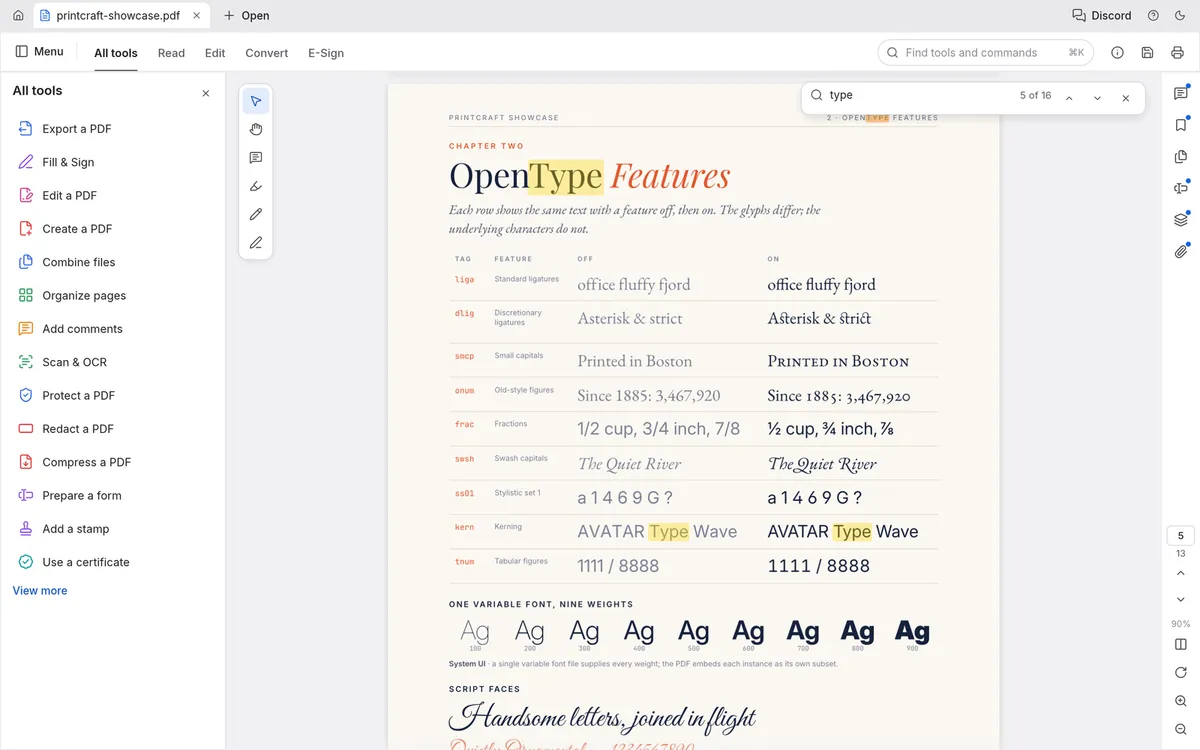
Search as you type and copy text in the right reading order, even across columns and right-to-left runs.
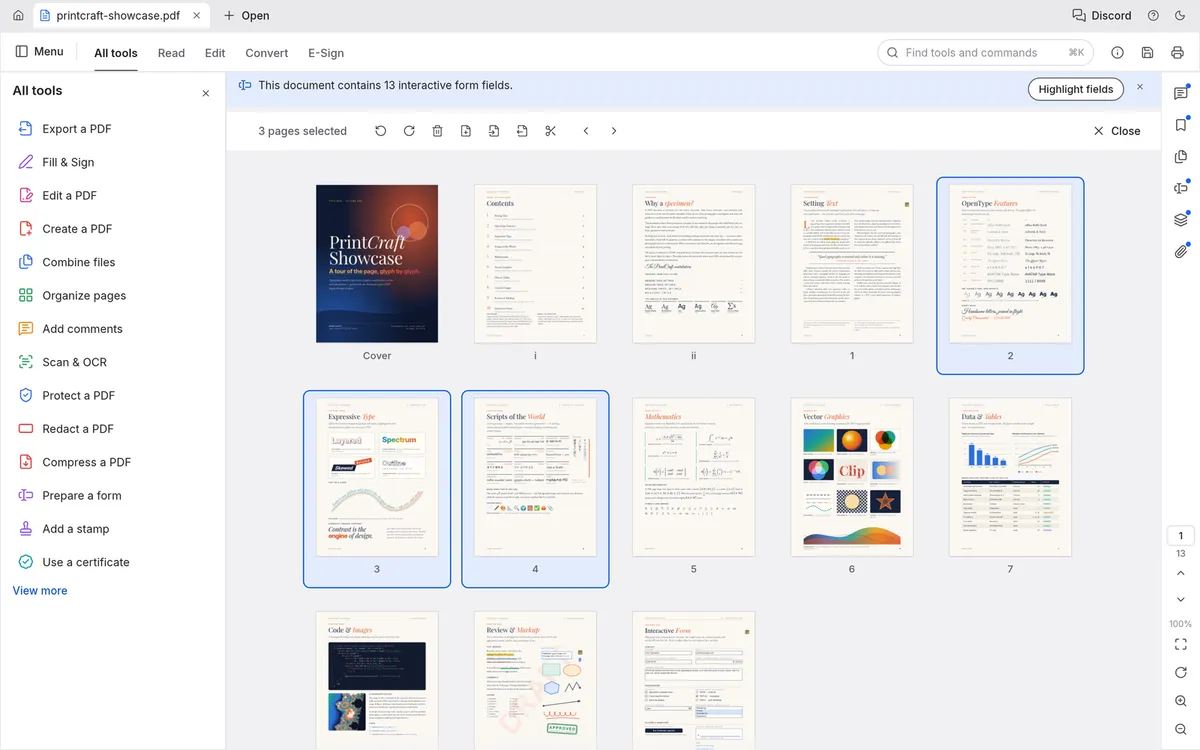
See every page at once, then rotate, delete, insert and reorder them, with undo that survives saving.
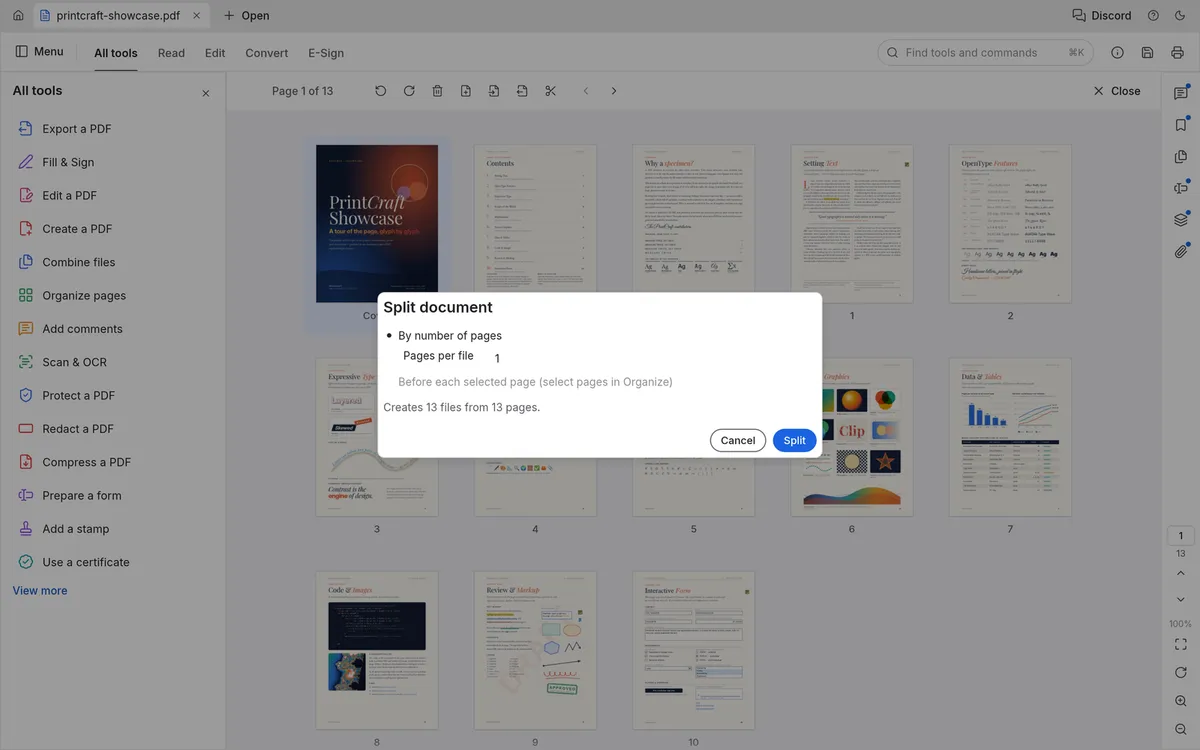
Merge any number of PDFs or split one every n pages, with links, bookmarks and form fields kept working.
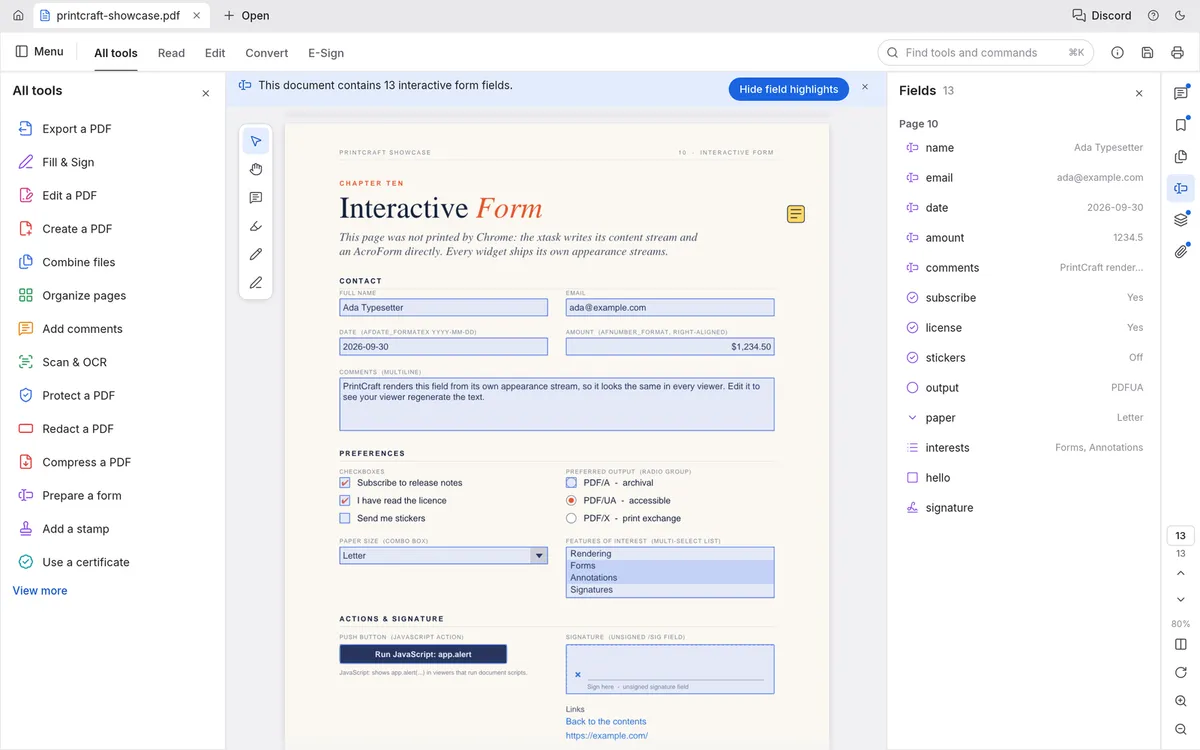
Fill and create interactive forms, and add notes, highlights, shapes, ink and threaded replies.
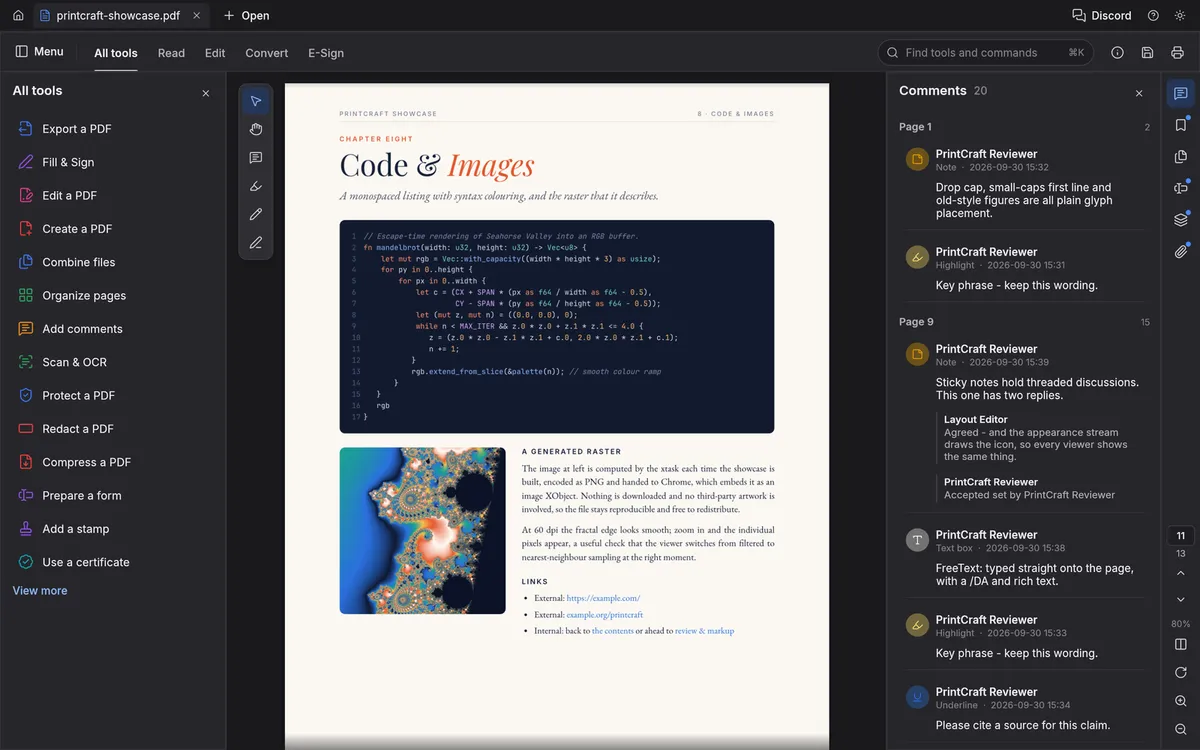
Continuous, two-up and distraction-free Read mode, in themes made for long reading sessions.
Screenshots: PdfCraft contributors, MIT OR Apache-2.0.
Get started
The first visit downloads PdfCraft (about 12 MB). After that your browser keeps it, so it opens in a moment.
Drop a PDF onto the window or click Open file. It is read by your browser, not uploaded anywhere.
Organize pages, combine, split, comment, fill forms or protect the file, then save the result to your computer.
Compare
| Feature | PdfCraft Online | Adobe Acrobat Pro (desktop) | Typical online PDF tools |
|---|---|---|---|
| Price | Free | Subscription | Free with limits |
| Runs in the browser | Separate web tools | ||
| Files stay on your device | |||
| No account needed | Often | ||
| Open source | |||
| Organize, combine and split | |||
| Fill and create forms | Varies | ||
| Edit existing text | Limited | Varies | |
| Maturity | Alpha | Industry standard | Mature |
Most online PDF tools process your files on their servers; PdfCraft does everything in your browser, like a desktop app, with nothing to install.
Desktop app · version 0.8.0 · released 2026-10-14
Prefer a native app? Every link goes straight to the official GitHub release by ArtCraft team.
How to install
How to install
How to install
How to install
Verify your download
Compare the file’s SHA-256 hash with SHA256SUMS.txt from the release. On macOS or Linux run shasum -a 256 <file>; on Windows run certutil -hashfile <file> SHA256. Older versions and release notes are on the GitHub releases page .
Yes. PdfCraft is free, open-source software (MIT or Apache-2.0), and this page lets you use its web version without paying, installing anything or creating an account.
No. PdfCraft is a WebAssembly app that runs in your browser. Files you open are read locally and saving downloads them to your computer — unlike most online PDF tools.
Yes. Combine files merges any number of PDFs, giving each one a bookmark; Split divides a document every n pages or before pages you choose; Extract copies selected pages into a new file. Links, bookmarks and form fields keep working.
Only in a limited way so far. Reliable editing of existing text — especially Chinese, Japanese, Korean and right-to-left scripts — is on PdfCraft’s list of things still missing.
No. PdfCraft is made by the ArtCraft team (getartcraft.com). This is an independent page that hosts the unmodified official web build so you can use it instantly.
Yes. Signed builds for Windows, macOS, Linux and FreeBSD are linked in the download section below, straight from the official GitHub release.
PdfCraft, the free Acrobat alternative, is one of the ArtCraft team’s open-source Crafting Apps. See all apps