PhotoCraft is a free, open-source image editor that rebuilds the Adobe Photoshop workflow from scratch in Rust. It runs on Windows, macOS, Linux, FreeBSD and in the browser — you can try it right now without installing anything. Here is how it compares with Photoshop and with Photopea, the best known free browser editor.
At a glance
| PhotoCraft | Adobe Photoshop | Photopea | |
|---|---|---|---|
| Price | Free | From about $22.99/month | Free with ads, paid ad-free plan |
| Licence | Open source (MIT or Apache-2.0) | Proprietary subscription | Proprietary |
| Runs in the browser | Yes | Photoshop on the web, for subscribers | Yes |
| Desktop app | Windows, macOS, Linux, FreeBSD | Windows, macOS | No (web only) |
| Account required | No | Adobe ID | No |
| Automation | CLI, JSON control channel, MCP server | Scripting, Actions | Scripts |
| Maturity | Early alpha (first released 2026) | Industry standard | Mature |
Prices change by region and over time; check each vendor for yours.
What PhotoCraft already does well
- Familiar by design. Menus, panels, tools and shortcuts sit where Photoshop users expect them.
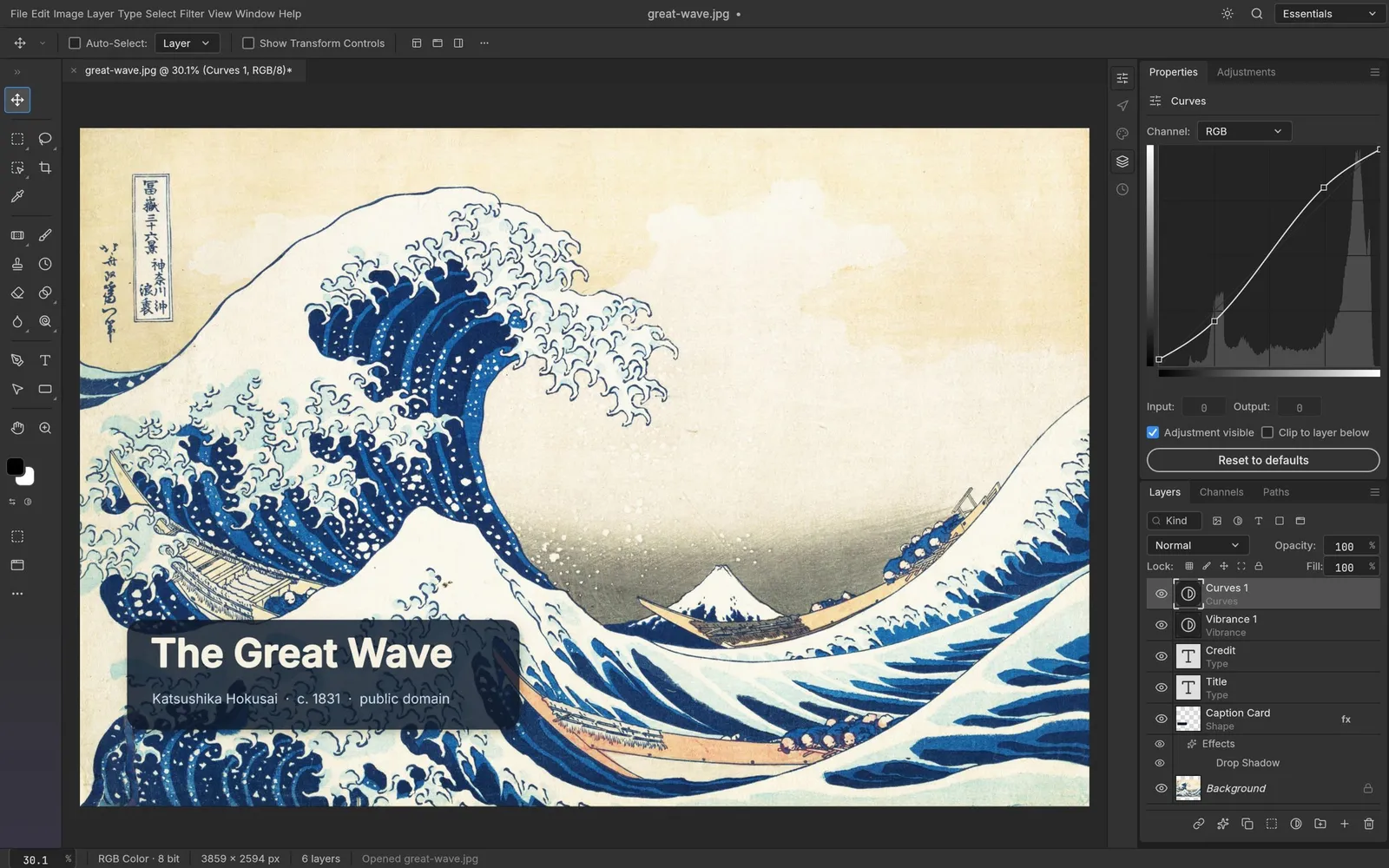
- Non-destructive editing. Sixteen adjustment layers — Curves, Levels, Vibrance, Hue/Saturation, Gradient Map, Color Lookup and more — stay live and maskable.
- Layer styles. Drop Shadow, Inner Shadow, Glows, Bevel & Emboss, Satin, Stroke and colour, gradient and pattern overlays, live on any layer.
- Smart selections. Quick Selection, Object Selection, Select Subject and Select and Mask run on your own machine — no cloud, no account.
- Smart objects and smart filters. Filters on a smart object stay editable.
- A real brush engine with pressure, tilt and rotation dynamics.
- Colour that goes deep. RGB, Grayscale, CMYK and Lab at 8, 16 and 32 bits per channel, with ICC colour management and soft proofing.
- Many formats. PSD and PSB, layered TIFF, OpenRaster, Krita
.kra(read), Paint.NET (read), SVG, PNG, JPEG, WebP, OpenEXR and more. Affinity documents open read-only.
Where Photoshop is still ahead
PhotoCraft's authors are unusually direct about it: it is not yet a Photoshop replacement for daily professional work. The biggest gaps they list are:
- AI and generative features such as Generative Fill.
- About 15 tools that do not exist yet.
- Depth in typography and pro workflows.
- Plug-in compatibility with Photoshop's ecosystem.
They also note that every Photoshop menu item is wired to a command, but that this measures wiring, not behaviour — so expect rough edges.
PhotoCraft vs Photopea
Both run in the browser with no install or account. Photopea is the safer choice today for heavy everyday use: it is mature and handles a wide range of PSD files, but the free version shows ads and the code is closed. PhotoCraft's editor is ad-free and open source, also runs as a fast native desktop app, and every action is a command that scripts and AI agents can drive. It is younger, so test it on your own files. This hosting site displays ads outside the editor.
Who should try PhotoCraft?
- Anyone leaving Creative Cloud who wants Photoshop's layout without the subscription.
- Linux users looking for a Photoshop-style editor with PSD support.
- Developers and automation fans: the CLI, batch processing and MCP server are rare in this space.
- Professionals with deadlines: keep your current tool for client work and try PhotoCraft alongside it.
Try it in a minute
PhotoCraft Online runs the official web build in your browser — about 11 MB the first time, then it opens instantly. Want a native app? The same page links every desktop build.
Questions people ask
Can PhotoCraft replace Photoshop?
Not yet for daily professional work — its own authors say so. It already handles layers, masks, adjustment layers, layer styles and PSD files, so it is worth trying for many everyday edits.
Does PhotoCraft open PSD files with layers?
Yes. It opens, edits and saves layered PSD and PSB files, including type layers, shape layers and layer styles. Its authors report that re-saving keeps the render of 307 of the 309 files in the psd-tools test set.
Is PhotoCraft better than Photopea?
They suit different people. Photopea is mature and free with ads; PhotoCraft has an open-source, ad-free editor, runs as a native desktop app too, and can be automated by scripts and AI agents, but it is younger. This hosting site displays ads outside the editor.
Try PhotoCraft right now
The full editor runs in your browser. No install, no account.